Skip to content

How to install Bloxstrap on Windows

Install Bloxstrap on Windows: download the installer, run setup and launch Roblox through Bloxstrap.

How-to • Updated 17 October 2026 • 1 min read

Download for Windows

Bloxstrap requires the Microsoft .NET 6 Desktop Runtime to be installed

Frequently asked questions • Release notes

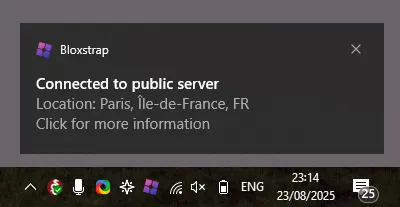
Windows notification from Bloxstrap showing the location of the connected Roblox server
Server location hints show where the server you joined is hosted.

Install steps

  1. Get the installer from Download.
  2. Run setup and finish the wizard.
  3. Launch Roblox once through Bloxstrap to confirm it opens.
  4. Review first launch settings.

Frequently asked questions

Is Bloxstrap free?

Yes. Bloxstrap is free to download and use.

Does Bloxstrap replace Roblox?

No. It launches Roblox with additional launcher features; the game client itself is still Roblox.

Get more out of Roblox

Bloxstrap is an alternative launcher for Roblox with extra features and mods.

Download for Windows

Back to How-to