About Bloxstrap vs Other Roblox Launchers & Tools
How Bloxstrap compares against the stock Roblox bootstrapper, standalone RBXFPSUnlocker, Microsoft Store Roblox, Fishstrap, and RoPro. Comparing safety, Hyperion/Byfron compatibility, memory footprint, and built-in customization features.
Bloxstrap is a drop-in replacement only for the Roblox bootstrapper — it downloads, configures, and starts the official signed `RobloxPlayerBeta.exe` client without ever injecting DLLs or tampering with game memory.
Get the latest Windows installer from /download or explore the configuration guides below.
Core Bloxstrap advantages on Windows
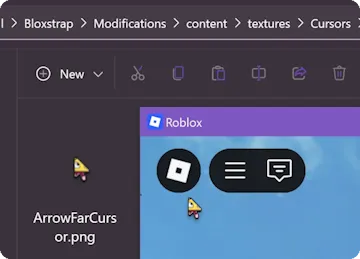
- **Persistent Mods:** Custom death sounds, cursors, and fonts inside Mods survive Wednesday Roblox updates automatically.
- **Discord Rich Presence:** Show the exact experience you are playing and let friends join your server directly through Discord RPC.
- **GUI Engine & FastFlag Controls:** Adjust framerate caps, Direct3D 11 / Vulkan rendering, and lighting modes under Engine.
Pages in Bloxstrap vs Other Roblox Launchers & Tools
- Bloxstrap vs Official Roblox Player Launcher — Bloxstrap launches the exact same official signed RobloxPlayerBeta.exe binary while adding Discord Rich Presence, persistent mods, server region alerts, and a GUI FastFlag manager.
- Bloxstrap vs Standalone RBXFPSUnlocker (axstin) — Standalone memory-injecting FPS unlockers are obsolete and blocked by Hyperion; Bloxstrap unlocks FPS natively via ClientAppSettings.json FastFlags.
- Bloxstrap vs Microsoft Store (UWP) Roblox App — Bloxstrap runs the full Win32 desktop Roblox client with raw mouse input, Vulkan/D3D11 selection, and file mods, avoiding UWP cursor drift and lower frame pacing.
- Bloxstrap vs Fishstrap (Community Fork) — Bloxstrap is the original upstream MIT bootstrapper by pizzaboxer with conservative, stability-tested defaults; Fishstrap is a community fork exposing experimental flags.
- Bloxstrap vs Manual ClientAppSettings.json Editing — Manually creating a ClientSettings folder breaks every time Roblox updates to a new version hash; Bloxstrap writes and migrates your JSON automatically on every launch.
- Bloxstrap vs RoPro / BTRoblox Browser Extensions — Browser extensions enhance the roblox.com website, while Bloxstrap enhances the actual Windows desktop game client, graphics engine, and Discord Rich Presence.
Frequently asked questions
Where do I download Bloxstrap for Windows?
Get the Windows installer directly from /download on this host, then make sure the Microsoft .NET 6 Desktop Runtime x64 is installed.
Is Bloxstrap safe to use with Roblox's 64-bit Hyperion anti-cheat?
Yes. Bloxstrap never modifies running process memory or injects DLLs; it only writes standard configuration files (`ClientAppSettings.json`) and launches the official Roblox binary.