Adding a mod
Back up the original files, copy the mod into place, launch once to test, and revert immediately if the client misbehaves.
Add mods with Bloxstrap safely: back up first, apply one mod at a time and know how to revert.
How-to • Updated 17 October 2026 • 1 min read
Download for WindowsBloxstrap requires the Microsoft .NET 6 Desktop Runtime to be installed
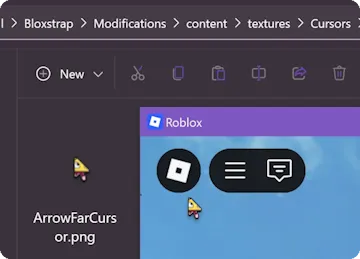
Back up the original files, copy the mod into place, launch once to test, and revert immediately if the client misbehaves.
Bloxstrap is an alternative launcher for Roblox with extra features and mods.
Download for Windows